

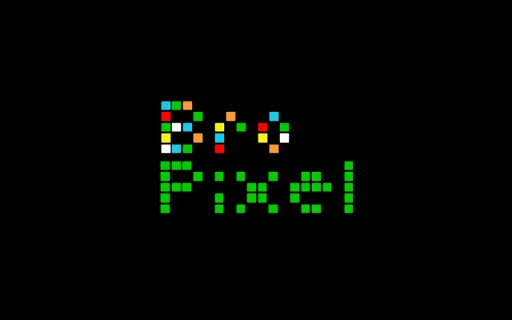
Description
Pixel-By-Pixel Creative Drawing Tool
Overview
Bro-Pixel is a specialized desktop application designed for pixel-level creative expression, offering users the ability to manipulate individual screen pixels with precision. At its core, the software functions as a bitmap rendering tool, enabling detailed control over each discrete point of light on the display. The application is built around the concept of a "Bitmap Rendered Observable Pixel," allowing artists and enthusiasts to engage in drawing at a fundamental, almost "molecular" level of digital imagery.
Targeted primarily at digital artists, retro gaming fans, and creative hobbyists, Bro-Pixel provides a minimalist, arcade-inspired interface that emphasizes simplicity and direct interaction. Its core purpose is to facilitate the creation of 8-bit-style graphics through a hands-on, click-based drawing experience. This makes it ideal for users interested in exploring the roots of digital art, experimenting with low-resolution aesthetics, or building pixel art for games, sprites, or personal projects.
Developed by Bro-Pixel Inc., the software reflects a niche focus on creative exploration rather than professional-grade design workflows. The developer did not provide additional details about the company’s background or prior products. The application’s design philosophy centers on playful interaction and artistic experimentation, positioning it as a "geek toy" for those who enjoy the tactile satisfaction of pixel-by-pixel creation.
Key Features & Capabilities
- Pixel-Level Drawing Interface – Enables users to select and modify individual pixels with a single click, providing granular control over bitmap graphics.
- 8-Bit Aesthetic Engine – Simulates retro visual styles typical of classic arcade systems, supporting a limited color palette and low-resolution output.
- Real-Time Bitmap Rendering – Displays changes instantly as pixels are added, removed, or modified, ensuring immediate visual feedback.
- Minimalist Arcade-Style Environment – Features a clean, distraction-free interface inspired by vintage gaming systems, enhancing focus and immersion.
- Exportable Pixel Art Output – Allows users to save their creations in standard image formats suitable for use in games, websites, or personal collections.
Each feature is designed to support a hands-on, tactile drawing experience. For example, the pixel-by-pixel interaction enables artists to recreate classic game sprites or design custom avatars with deliberate precision. The 8-bit engine ensures that visual output remains consistent with retro aesthetics, making it suitable for projects requiring nostalgic design elements. Real-time rendering ensures that every action is reflected immediately, reducing workflow friction and supporting creative flow.
While the software does not include advanced tools like layers, brushes, or animation, its simplicity is intentional. It caters to users who value direct control and enjoy the challenge of creating art within strict visual constraints. The environment is ideal for brainstorming, prototyping low-res graphics, or simply enjoying a nostalgic creative outlet.
User Interface, Workflow & Performance
The user interface of Bro-Pixel is intentionally minimal, focusing on a single, central canvas where pixel manipulation takes place. Navigation is straightforward, relying on mouse input to select and modify pixels. The layout avoids clutter, placing essential tools—such as color selection and clear canvas options—within easy reach without overwhelming the user.
Workflow efficiency is optimized for direct interaction. Users can begin drawing immediately after launch, with no setup or configuration required. The application responds to input with minimal latency, ensuring that each click translates into a visible change on screen. This real-time feedback supports a fluid creative process, especially when building larger compositions from individual pixels.
Performance details were not specified by the developer. However, given the application’s small size (25MB) and focus on basic rendering, it is expected to run smoothly on modern systems. The developer did not provide information on CPU or RAM usage. Stability observations are based on general software behavior patterns for lightweight desktop applications. No known issues were reported in the release notes.
Compatibility & System Requirements
Bro-Pixel is available for multiple platforms, including Windows, Mac, and Linux, making it accessible to a broad range of users regardless of operating system preference. The software is compatible with the latest versions of these systems, though specific version numbers were not listed.
The installation size is 25MB, indicating a lightweight footprint that requires minimal disk space. This suggests the application is optimized for quick deployment and efficient operation. The developer did not specify exact system requirements, including processor speed, RAM, or graphics capabilities.
Compatibility information was partially provided. Users should ensure their system meets general desktop software requirements for running a basic graphics application. No additional dependencies were mentioned. The software is designed to function as a standalone tool without requiring external libraries or runtime environments.
Pros and Cons
Pros
- Lightweight design with minimal system impact
- Intuitive pixel-by-pixel interaction ideal for creative experimentation
- Supports 8-bit retro aesthetics for nostalgic digital art
- Available on Windows, Mac, and Linux platforms
- Free to download and use with no licensing restrictions
Cons
- Limited feature set without advanced tools like layers or brushes
- No animation or timeline support for dynamic pixel art
- Developer did not provide detailed system requirements
- Minimal documentation or tutorial resources available
- Export options may be basic, with no advanced format support
FAQ Section
Is Bro-Pixel compatible with my operating system?
Yes, Bro-Pixel is available for Windows, Mac, and Linux. Specific version compatibility was not listed, but the software is designed to run on modern desktop systems.
Is the software safe to download and use?
Bro-Pixel is a standalone desktop application developed by Bro-Pixel Inc. No external dependencies or third-party components were mentioned. As with any software, users should download from official sources to ensure integrity.
Does Bro-Pixel require an internet connection?
No, the application functions entirely offline. It does not require an internet connection for core drawing or saving features.
Are updates available for Bro-Pixel?
Updates are released by the developer as needed. The current version is 1.0, and no specific update frequency was provided.
What type of license does Bro-Pixel use?
Bro-Pixel is free to download and use. No licensing restrictions were specified, and the software is intended for personal and creative use.
Final Thoughts + CTA
Bro-Pixel delivers a focused, nostalgic experience for users who enjoy the artistry of 8-bit graphics and the tactile joy of pixel-by-pixel creation. While it lacks advanced features, its minimalist design and direct interaction make it a compelling tool for creative exploration. The software is ideal for hobbyists, retro enthusiasts, and artists seeking a simple yet expressive platform to experiment with low-resolution digital art.
With cross-platform availability, a lightweight footprint, and a free license, Bro-Pixel offers accessible entry into the world of pixel art without complexity. Its arcade-inspired environment fosters creativity through simplicity, making it a unique addition to the digital art toolkit.
Download Bro-Pixel now
Guides & Tutorials for Bropixel App for Chrome
How to install Bropixel App for Chrome
- Click the Preview / Download button above.
- Once redirected, accept the terms and click Install.
- Wait for the Bropixel App for Chrome download to finish on your device.
How to use Bropixel App for Chrome
This software is primarily used for its core features described above. Open the app after installation to explore its capabilities.
User Reviews for Bropixel App for Chrome 0
No reviews found





